In the User list under Licence Plan, there used to be an option to Enable or Disable student sharing of their projects. How do I change student settings to allow them to share their projects?
Hi @cgekas Thanks for your question. To enable (or disable) students’ Project-sharing permissions, you can follow these steps:
-
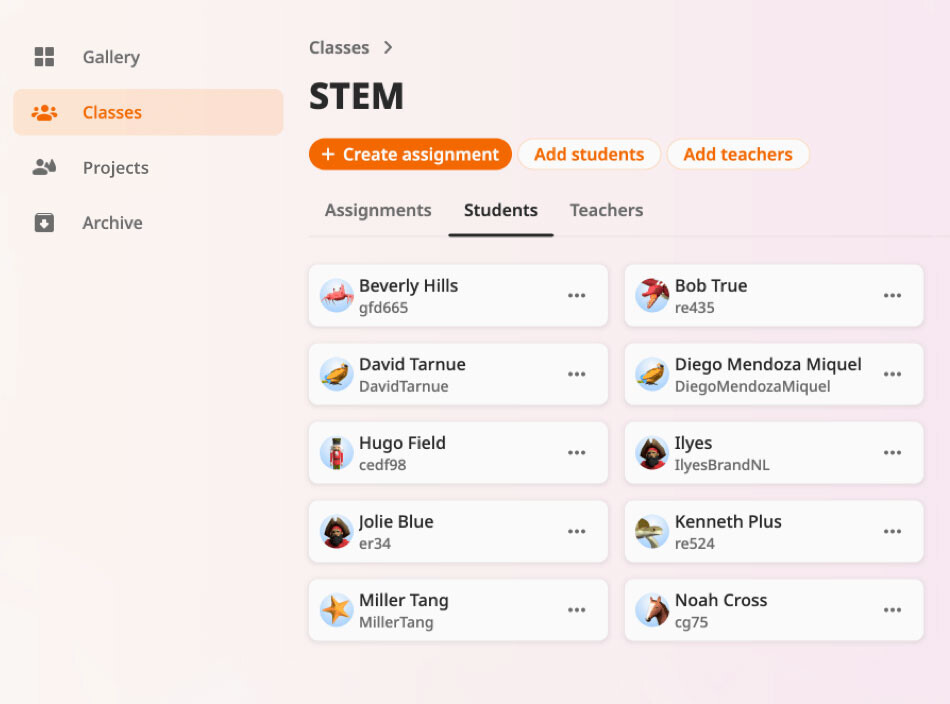
In your teacher account, go to the Classes section.
-
In the class view, look for the Students tab and click on it.
-
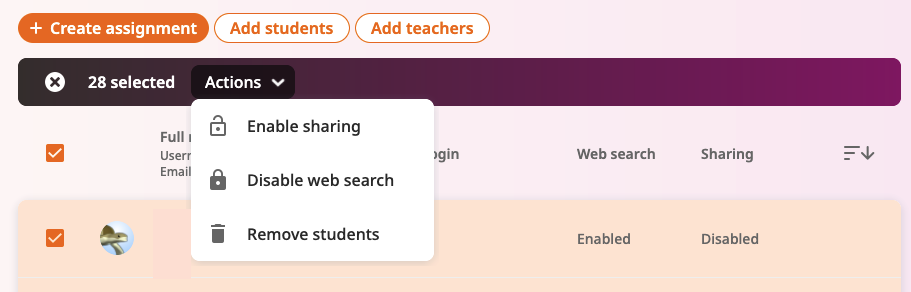
Find the individual student or select multiple students. In the action menu (often via three-dots) you should see the option to Enable sharing.
Hope this helps but feel free to write anytime if you have any further questions