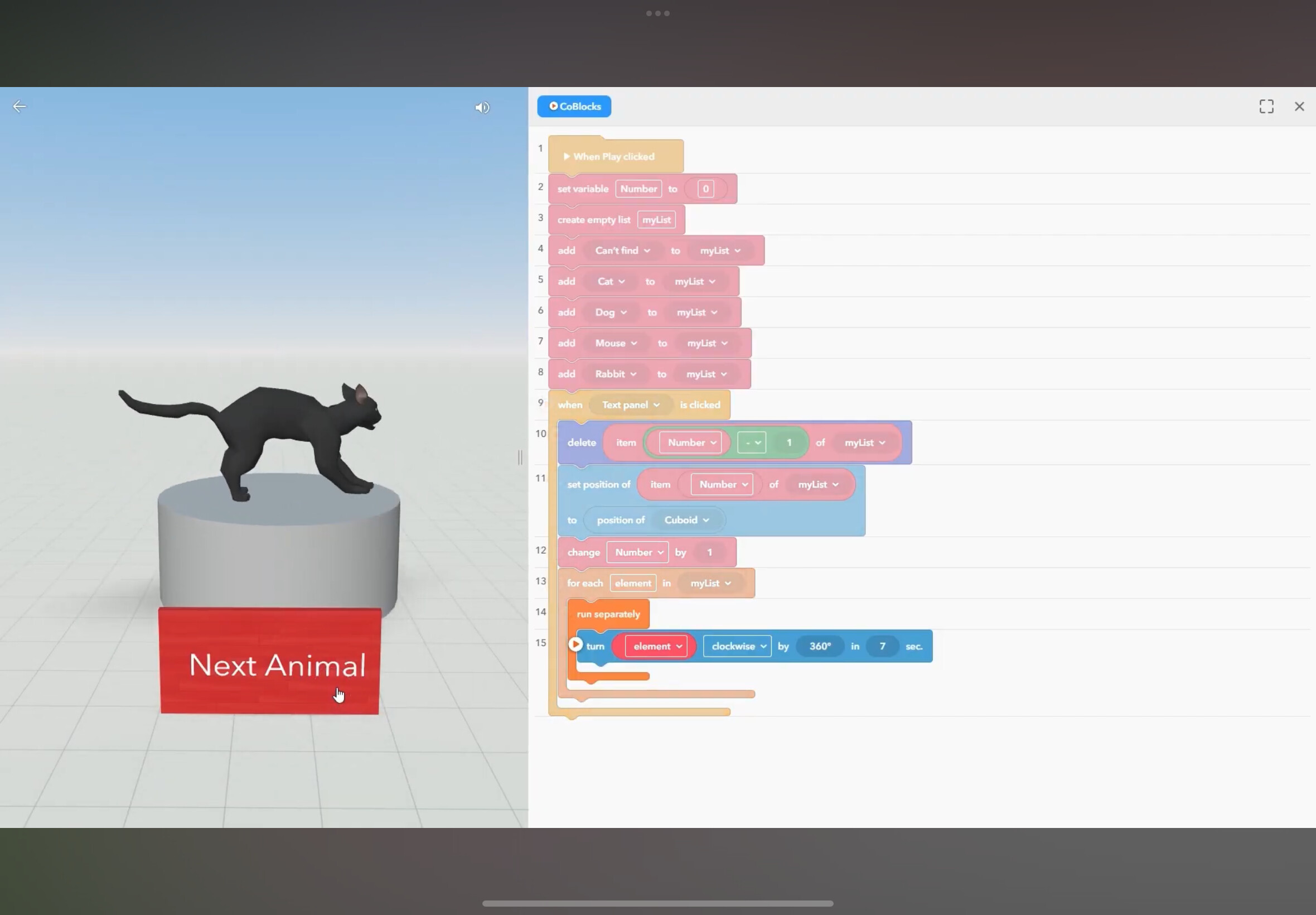
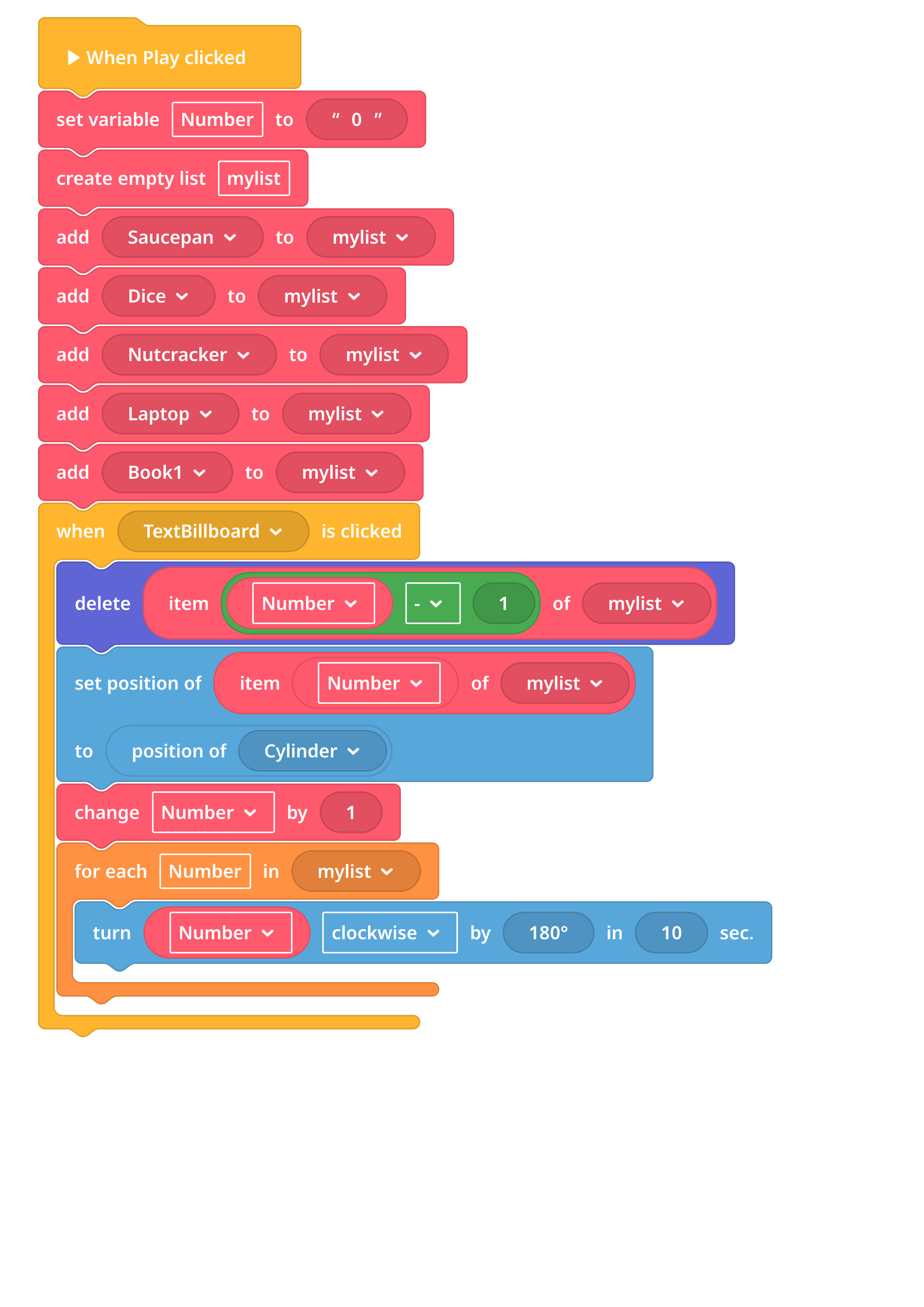
I want to create the same feature as shown in the YouTube tutorial to display my examples of solid matter one by one. However, even though I followed the blocks from the tutorial, the action does not work the same. How can I hide the other objects until the next example is clicked?
2 Likes
I used to make transparecy to 0 and with code change it to 100 in order to create the effect you want.
Changing transparency hides/shows object, but it still remains in its place and catches onclick and other events. What i do - i teleport the object (up or down) to hide and teleport it back to show. Teleporting means - changing position of the object.