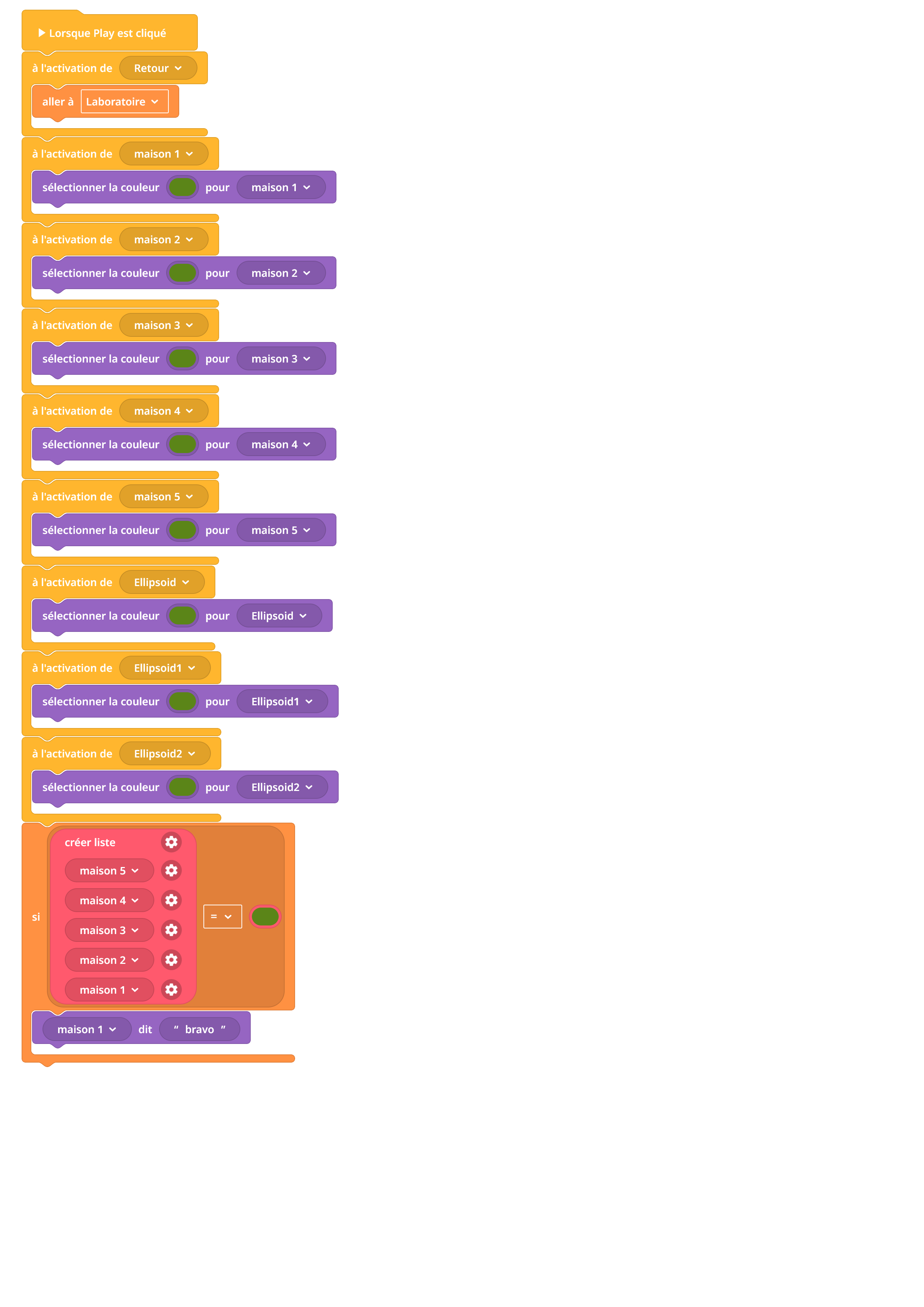
I am discovering Delightex and I am encountering an issue with my code.
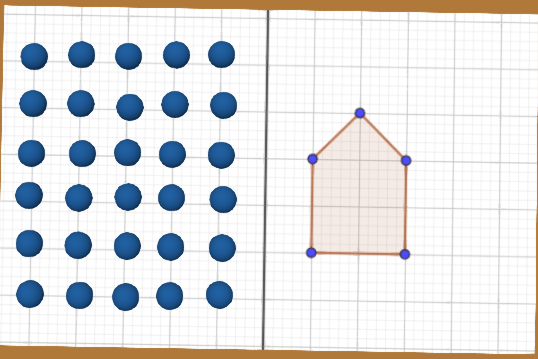
To summarize, I would like to create a math exercise about axial and central symmetry.
The goal is to click on balls so that they turn green and allow the user to reproduce the image shown next to them. I would like to add an element/object on the table so that, when it is clicked, it indicates whether the answer is correct or not.
So far, I have managed to program the color change. I haven’t done it for all the balls yet, but I can’t manage to display the message “Well done” when the correct balls are green.
The “If” statement on the bottom is not re-evaluated each time an event triggers. So you’ll need to repeat the check after each event handler (i.e. setting the color). The best way to avoid duplication is to put this check into function and put function call block to each event handler.
The check itself won’t work. “List” is never equal to “color”. “Item” is also never equal to “color”. You need to check is that there isn’t an item within this list set to: its color is not green. Loop through the list using “for each … in ..”, then for variable in this block check that its color (“color of …” block) is not green and in this case return from the function (“return from function” block).
Dealing with message display errors can be such a headache when you’re just trying to get the logic to flow correctly. It’s helpful to know that checking the variable types or the way the string is concatenated is often the culprit. I’ll definitely keep this in mind for the next time things aren’t showing up as expected.