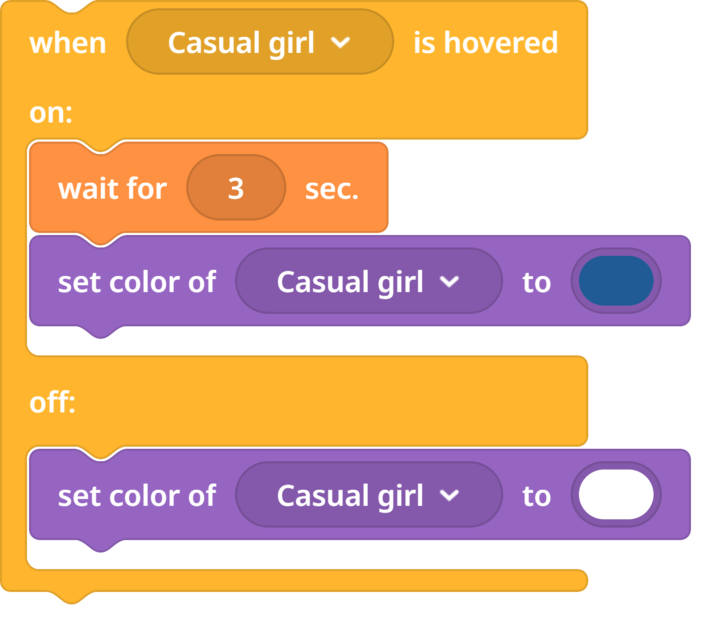
I’m using cardboard goggles that don’t include a controller. I have a question regarding programming with the CoBlocks language, because I’m trying to create a function that detects the mouse cursor when it has exited an object after 3 seconds. What we want is to include an error check; for example, if you move your head with the goggles and accidentally hover over text elements, they all get triggered because of the HOVERED function. What I want is to create a kind of “verification” that requires you to look at the same object for 3 seconds, to confirm that you want to interact with it, and otherwise, there should be no interaction from the hovered event.
On the other hand, I would like to find a way to allow users to move without a controller, but still have a certain freedom to stay in a scene for as long as they want.
Wait doesn’t work for me because it executes no matter what — it doesn’t check anything.
Thank you very much for your time. I will truly appreciate any help you can offer. This is for my final degree project and I don’t know what else to try…