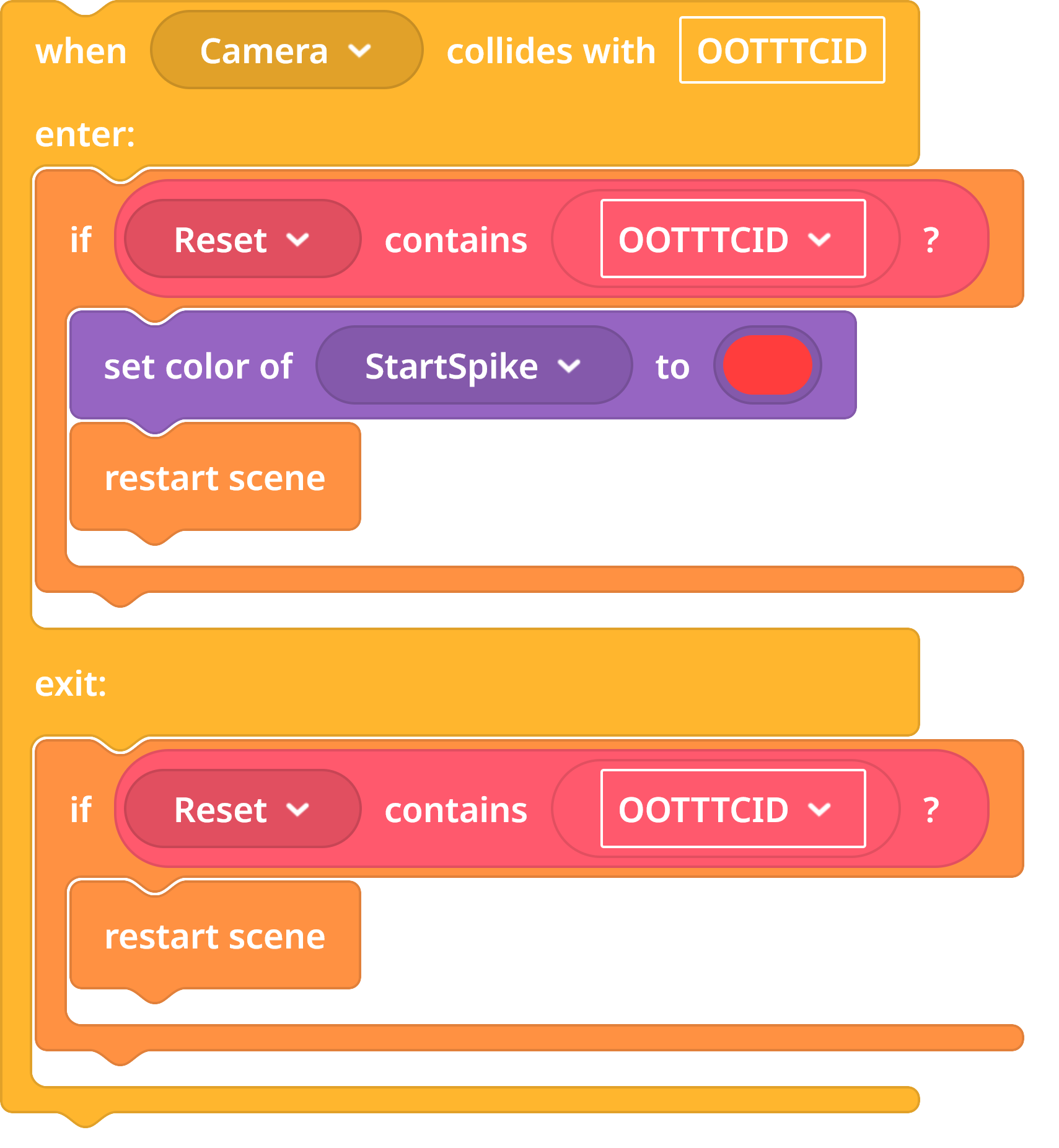
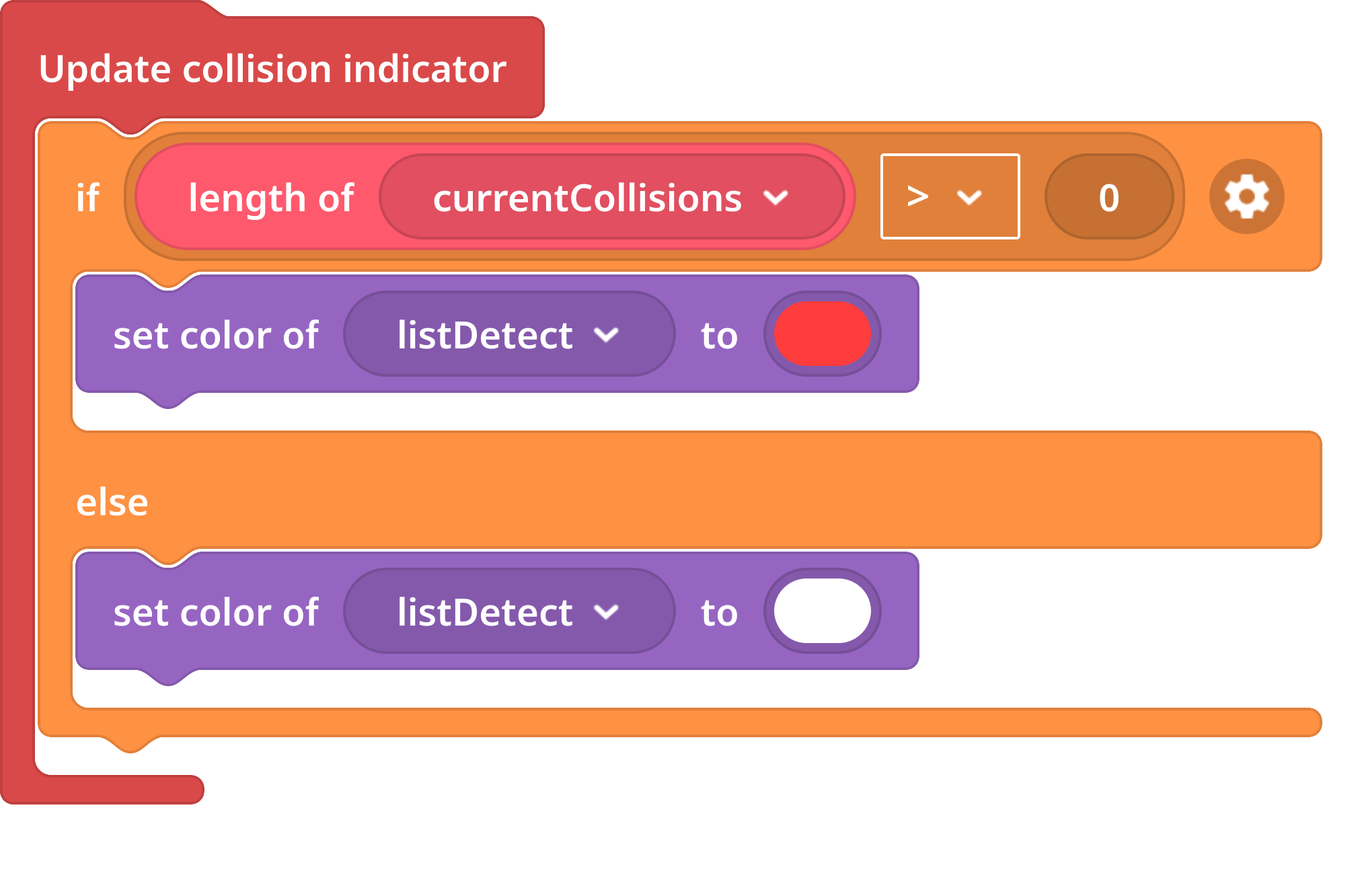
I’m working with a student on a small puzzle map and am struggling with one of the interactive challenges student set up. Upon collision with a moving object, namely the spike at the end of the first corridor, the collision detection doesn’t seem to execute?
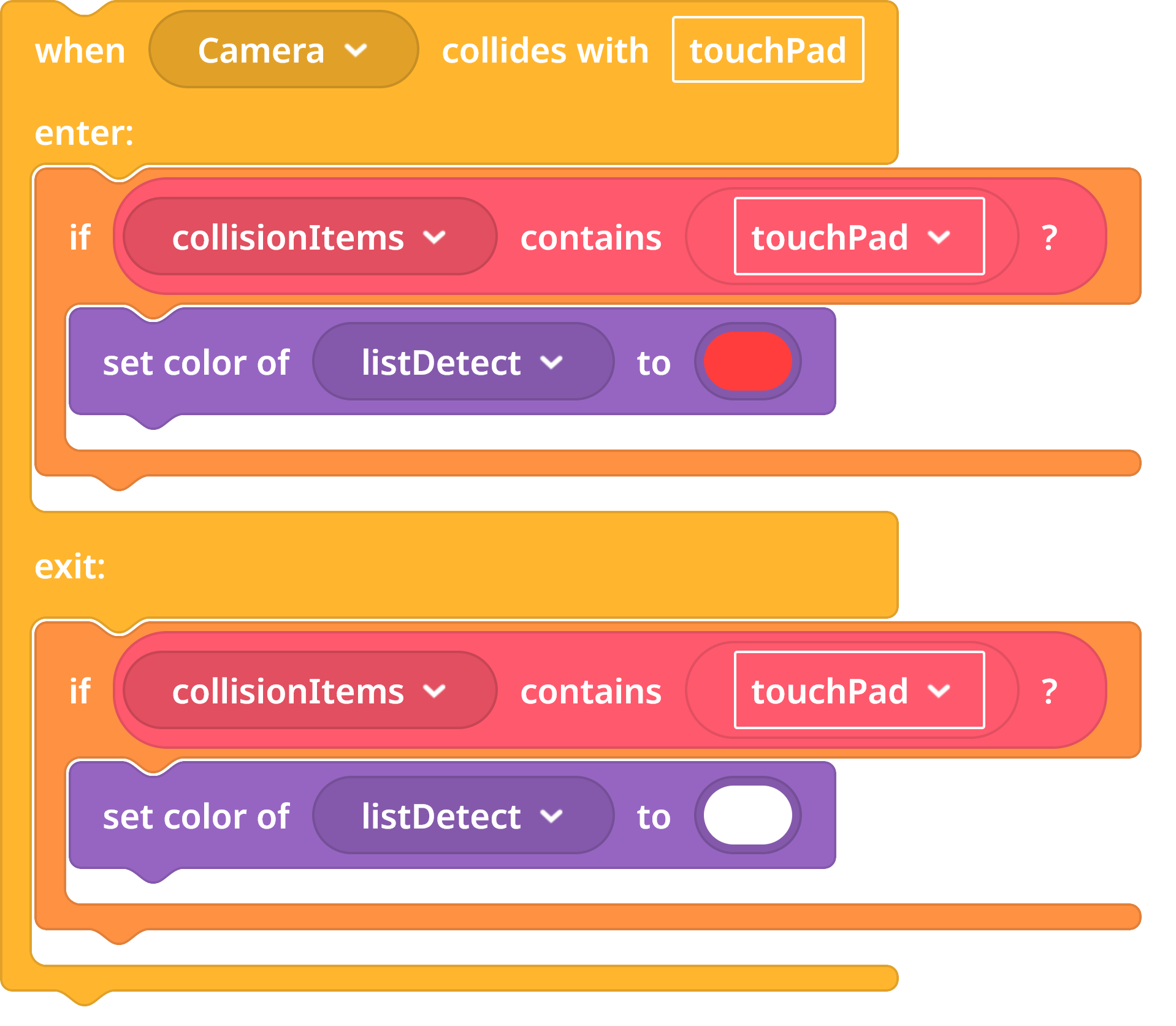
Hi @jas This happens because when two objects are very close together, the system may detect their collision events in a different order than expected. For example, it may register one object entering a collision area and then another object leaving it immediately after, which can cause the color to update incorrectly.
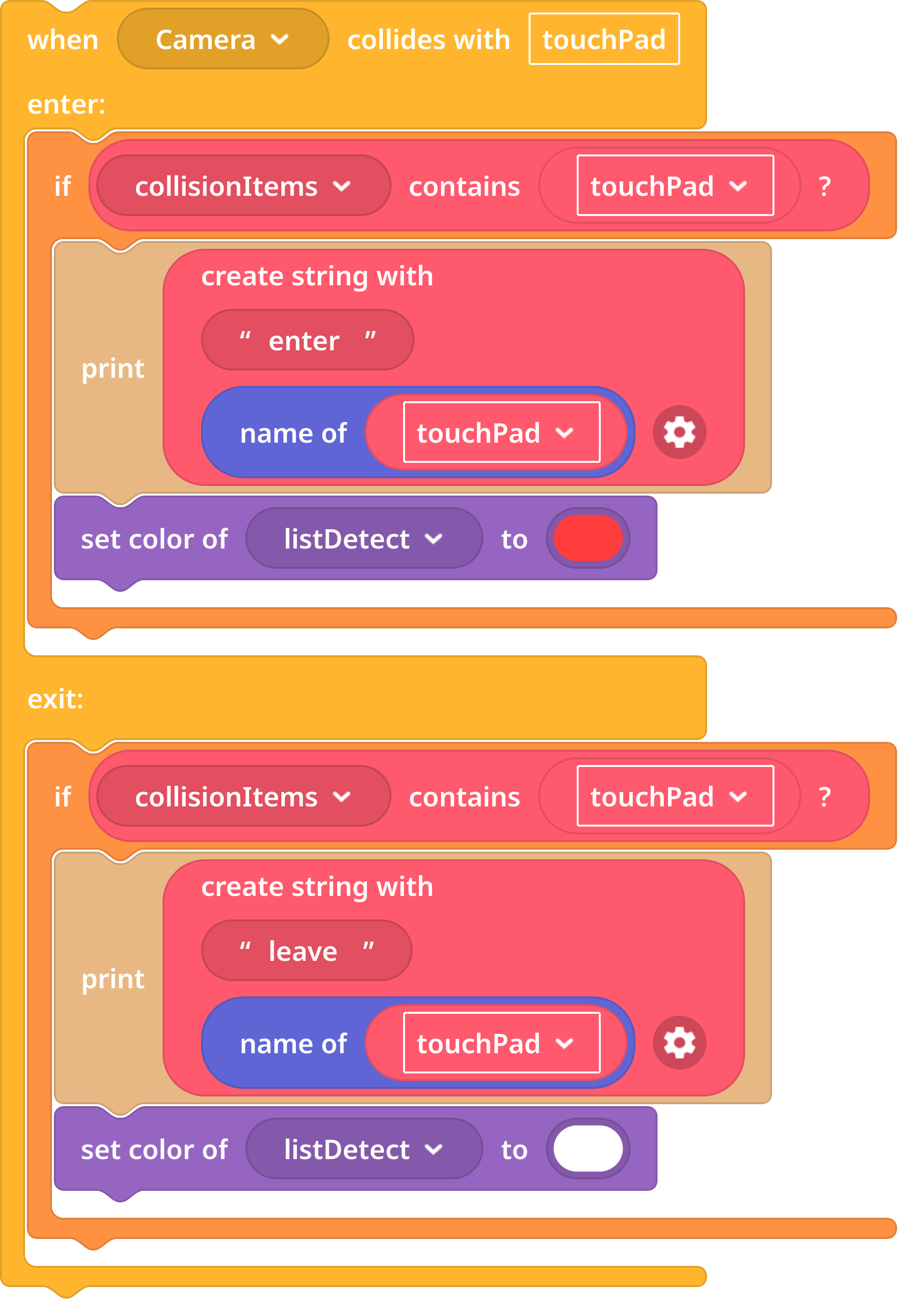
To better understand what’s happening, try adding some logging to check the order in which these collision events are being triggered.
enter CI0
enter CI1
leave CI0
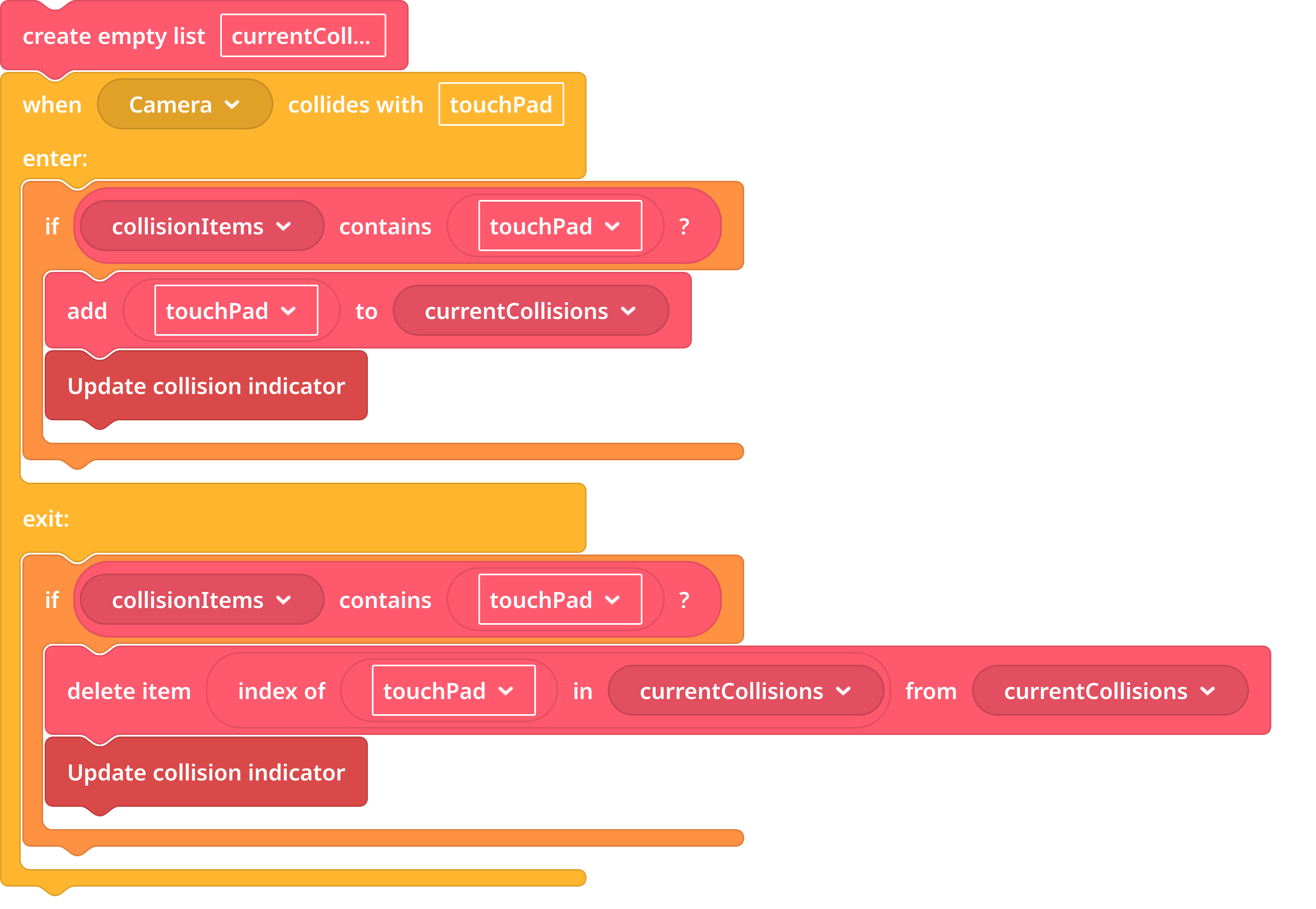
Instead of only checking whether something is currently colliding, try keeping track of all objects that are touching the item. Add an object to the list when it starts colliding and remove it when it stops. Then, you can check whether the list is empty: if something is still touching the object, keep the new color; if nothing is touching it anymore, return to the original color.