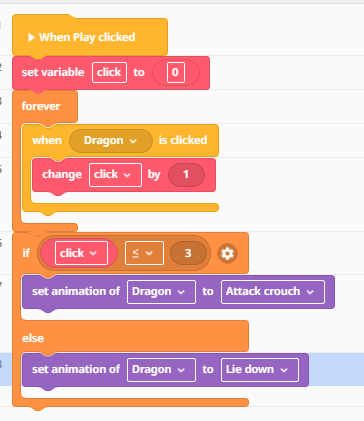
I have a student who is trying to code her dragon to be in attack crouch until it is clicked 3 times, when it lies down. This is what we have and it is not working. We’ve tried putting the if condition inside a forever command as well with no luck. We’ve also tried removing the forever from change click by 1 blocks. There is no other code tab / conflicting animation blocks. Any thoughts to make this work? Thanks!
1 Like
Edit: nvm i found out how to upload code
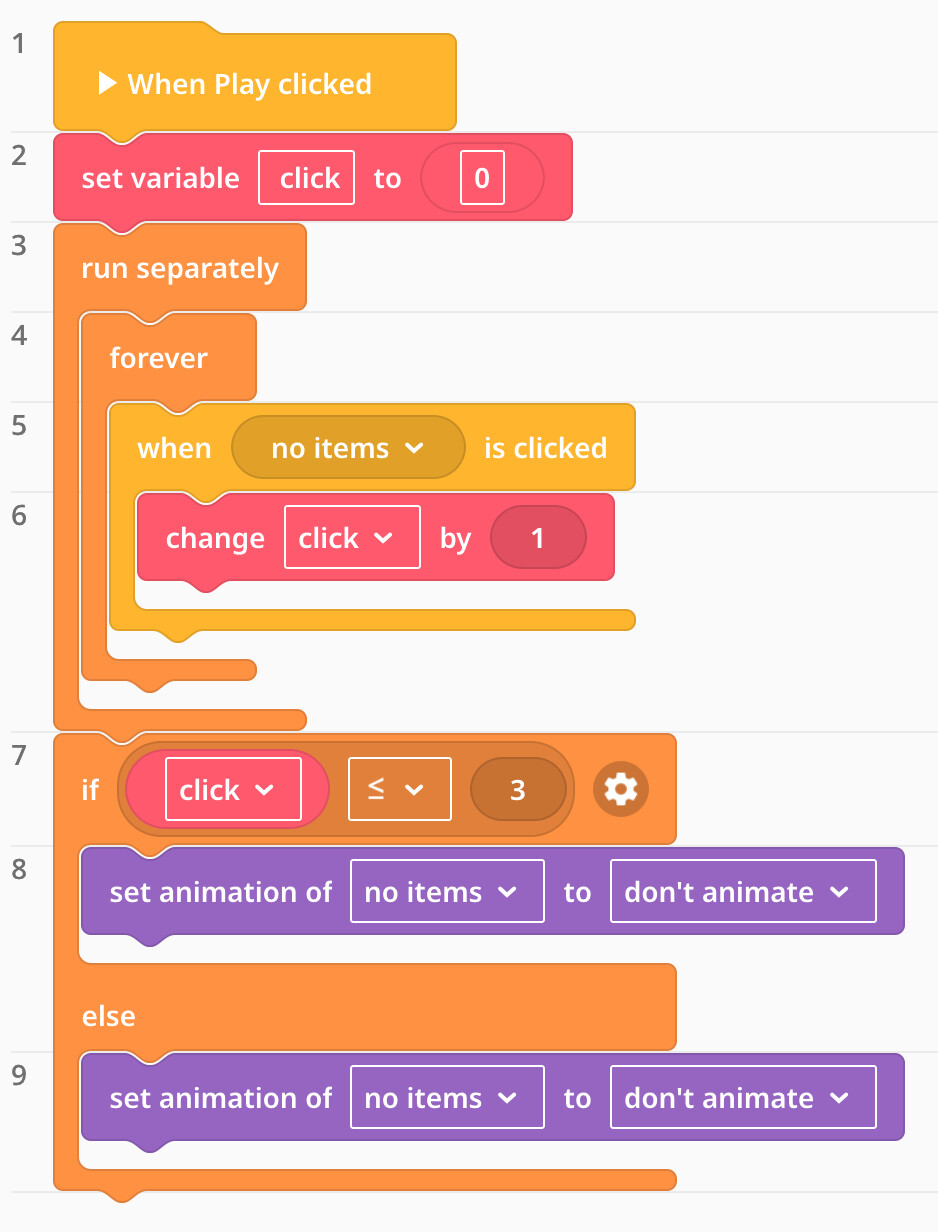
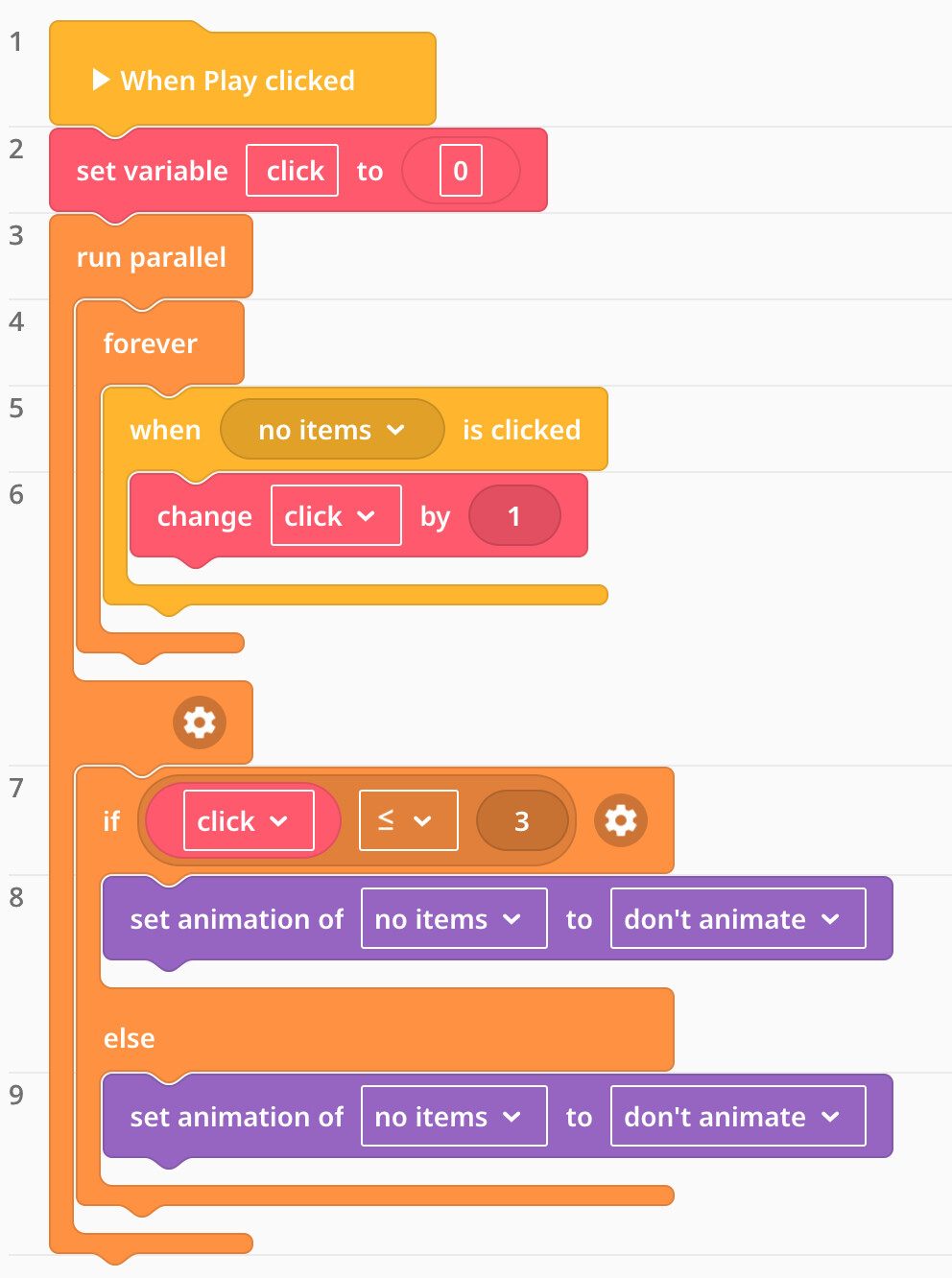
There is a very simple fix. You see, when you run that code its stuck on the “forever” line and cant go to the next line. To fix it, get a “run separately” coblocks and put the forever code into that run separately. Basically what happens is it makes the code run separately to the other code, so it can do both things. (You could also do run parallel but you have to put whatever you want under forever in the run parallel. Which can be annoying)
It will look something like this:
|set variable “click” to 0|
|Run separately|
|—> |Forever|
|When “dragon” clicked:
change variable “click by 1”|
then the animation here (do not put the animations in the run separately otherwise it wont work)
idk how to upload code so it might be a little confusing. But all it is, is the run separately under your variable, and then the forever (and the code in it) inside the run separately code, and your animations below and outside of the run separately code. It should work, hope this helps!
Thank you!!! We tried that and it still didn’t work. The dragon stays in the initial animation no matter how many clicks, it doesn’t change.
Hi @Carly_E
For this you don’t need to use the forever loop at all.
Put the “if” block right after the “change click by 1” and that should solve the problem.
Let us know if this helps!
Have you checked if the variable is actually counting up? I would turn on the “Show variable” toggle to verify it hits 3.
If it counts but doesn’t change, the issue is definitely the code hierarchy. Try removing the forever loop entirely and just trigger the state change directly within the click event. It is usually much more reliable than a loop.
It sounds like the logic sequence might be the issue here. In CoBlocks, you usually need to ensure the ‘if’ condition is checked immediately after the variable changes. Try placing the conditional check directly inside the click event block so it evaluates the count every time a click occurs.